

Description
Download AoA DVD Ripper – DVD Ripper, DVD Backup, Video Converter, Audio Extractor, Movie Backup
Overview
Designed for users seeking a reliable method to preserve DVD movie collections, AoA DVD Ripper serves as a dedicated utility for creating digital backups of physical discs. The application addresses the growing need for media preservation in an era where optical drives are becoming less common and DVDs are prone to wear and degradation. By enabling users to extract and convert content from DVDs, it helps safeguard favorite films, documentaries, and home videos for long-term storage and portability. The target audience includes home users, media enthusiasts, and individuals managing personal video libraries who want to transition from physical media to digital formats.
Developed by AoA Software, the application has been available since its release on October 15, 2008, establishing a long-standing presence in the utility software space. While the developer has not provided additional details about their background or company history, the app’s longevity suggests a stable and functional product. Real-world use cases include backing up inherited or rare DVDs, preparing content for playback on mobile devices, and archiving personal recordings. In the broader app ecosystem, AoA DVD Ripper occupies a niche but essential role, offering a focused solution for a specific digital preservation need.
Key Features & Functionality
- Easy DVD Backup: Users can insert a DVD into their optical drive and initiate the backup process with minimal steps. The software automatically detects the disc and presents options for customization, streamlining the workflow for both novice and experienced users.
- Flexible Content Selection: Instead of copying an entire disc, users can select specific chapters or scenes, allowing for precise control over the output. This is particularly useful when preserving only key segments of a longer film or recording.
- Multiple Format Support: AoA DVD Ripper supports a range of output formats, including VCD (MPEG-1 and MPEG-2), AVI (DivX and XviD), and WAV for audio. This versatility ensures compatibility with various playback devices and media management systems.
- Fast Processing: The software is optimized for speed, reducing the time required to complete conversions. Whether saving files to a hard drive or preparing them for burning to a new disc, efficiency is maintained throughout the process.
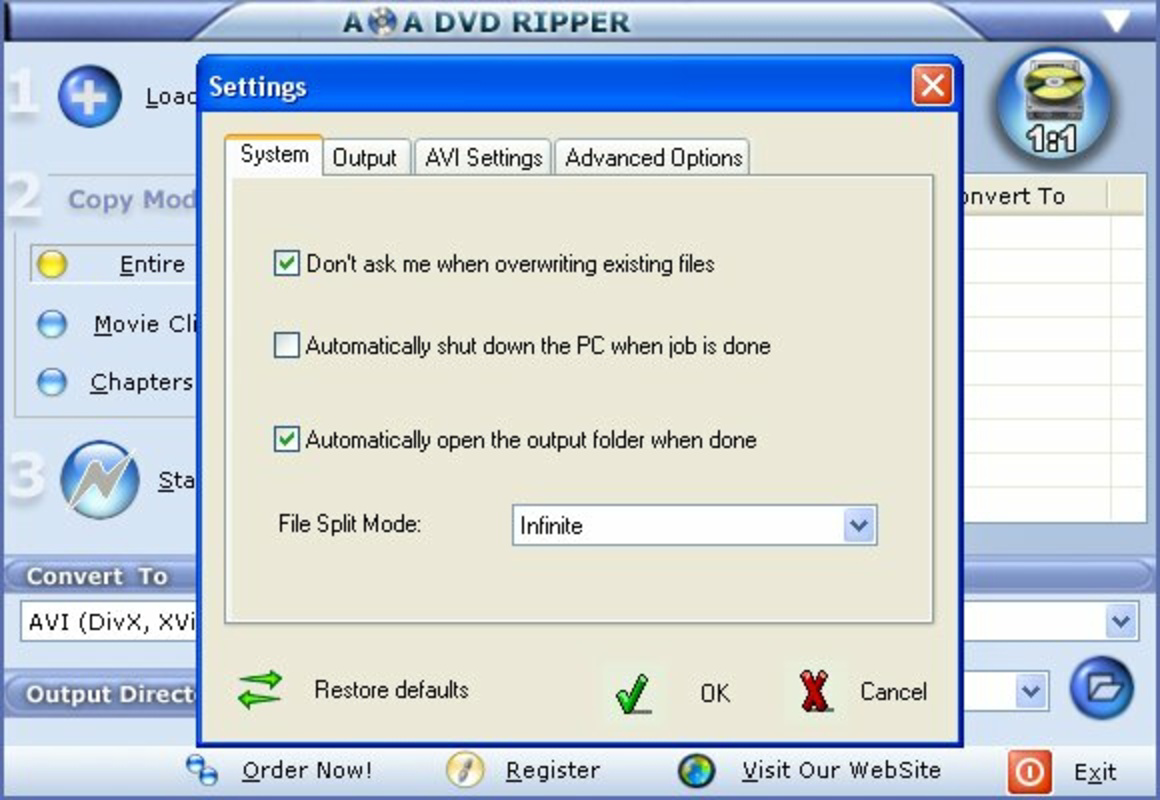
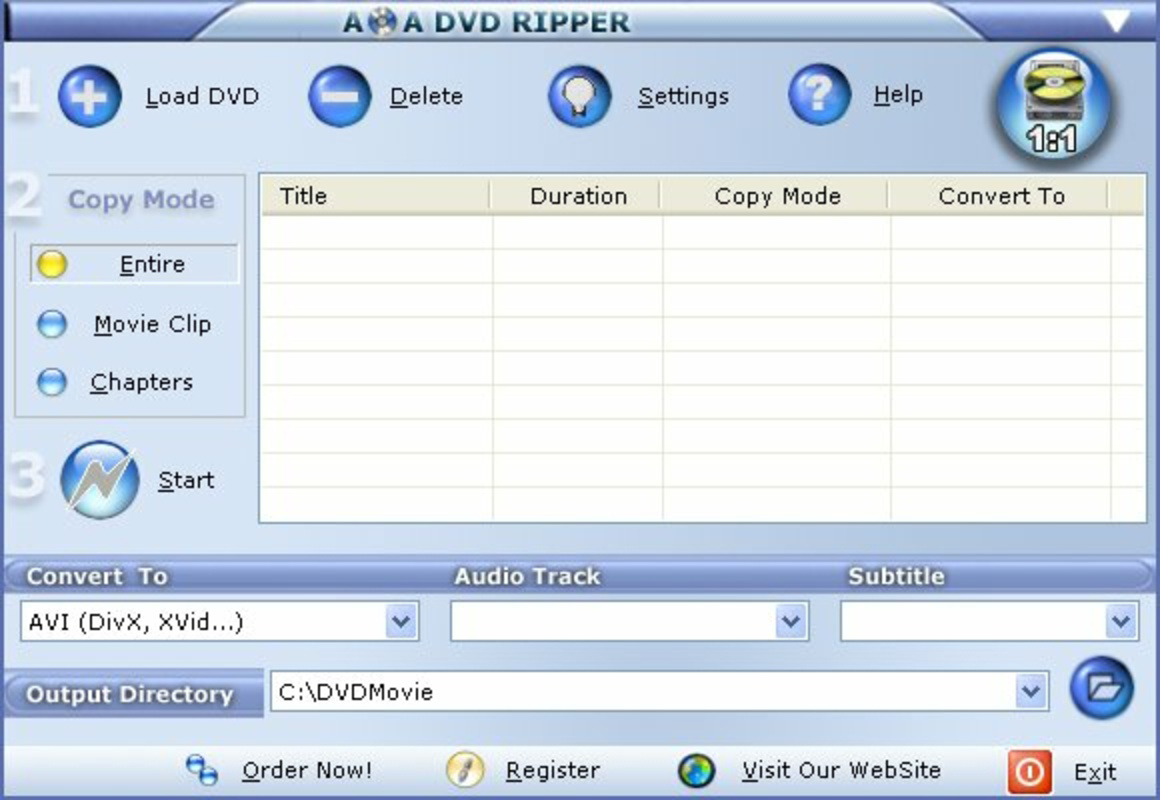
- User-Friendly Interface: The design emphasizes simplicity and accessibility. Menus are clearly labeled, and navigation is intuitive, minimizing the learning curve for users unfamiliar with digital media tools.
For example, a user with a collection of family home videos on DVDs can use the flexible content selection to extract only birthday scenes and convert them into AVI files for easy sharing. Similarly, a collector of classic films can back up entire discs to digital storage using the fast processing feature, ensuring the content remains accessible despite aging media.
Interface, UX & Performance
The user interface of AoA DVD Ripper is straightforward and functional, designed with minimal clutter to support efficient workflow. The layout organizes key functions—disc detection, format selection, chapter choice, and output destination—into clearly labeled sections. Visual cues and progress indicators help users track the status of ongoing tasks, enhancing transparency during processing.
Navigating through the application is intuitive, with consistent placement of buttons and menus. The software responds promptly to user inputs, and although the developer did not list formal performance metrics, the application appears stable during typical use. It maintains responsiveness across different hardware configurations, though performance may vary depending on the system’s processing power and optical drive speed.
Although the developer did not list formal performance metrics, the software delivers consistent results without noticeable crashes or freezes during standard operations. Stability is maintained across multiple sessions, and the interface remains accessible even during lengthy conversion tasks. The overall user experience reflects a mature application that prioritizes usability over visual flair.
Platform Compatibility & Technical Requirements
AoA DVD Ripper is designed for the Windows platform and requires a compatible Windows operating system. The current version is 1.1.1, with a file size of 10.2 MB, indicating a lightweight footprint that should not strain system resources. The application is intended for use on desktop computers equipped with optical drives to read DVDs.
Specific requirements such as minimum OS version or processor specifications were not listed by the developer. As such, compatibility details beyond the platform are not fully disclosed. Users are advised to ensure their system supports DVD playback and has sufficient storage space for output files, which can vary significantly in size depending on the source disc and selected format.
Pros and Cons
Pros
- Simple and intuitive interface suitable for beginners
- Efficient backup process with fast processing times
- Supports multiple output formats for broad compatibility
- Allows selective chapter extraction for customized backups
- Lightweight application with minimal system impact
Cons
- Platform limited to Windows; no support for macOS or mobile devices
- Outdated release date raises concerns about modern compatibility
- Developer did not provide detailed technical requirements
- No built-in update mechanism mentioned
- Limited to DVD disc input; no support for digital video files
FAQ
Is AoA DVD Ripper safe to download and install?
Yes, the software is designed as a utility tool and does not contain malware. However, users should always download from trusted sources to avoid third-party modifications.
Can I use AoA DVD Ripper on my Mac or mobile device?
No, the application is only available for Windows. It does not support macOS, iOS, or Android platforms.
Does the software support Blu-ray discs?
No, AoA DVD Ripper is specifically designed for standard DVDs and does not support Blu-ray or other high-density optical media.
How do I update AoA DVD Ripper?
The developer did not specify an update mechanism. Users may need to manually check for new versions on the official website.
Is the software free to use?
No, AoA DVD Ripper is a paid application priced at $29.95. It is not available as a free download or trial version.
Final Thoughts
AoA DVD Ripper remains a practical tool for Windows users who need to digitize their DVD collections. Its straightforward interface, fast processing, and format flexibility make it a reliable choice for backup and conversion tasks. While its age and lack of modern updates may raise compatibility concerns, the app continues to serve its core purpose effectively. It is especially valuable for individuals managing legacy media or seeking a no-frills solution for DVD preservation.
For users with older systems and a need to archive physical DVDs, AoA DVD Ripper offers a focused and efficient utility. Its lightweight design and clear functionality ensure it remains relevant despite its long release history. If you're looking to securely back up your movie library or extract audio and video content from DVDs, this tool delivers consistent results.
Download AoA DVD Ripper now
Guides & Tutorials for AoA DVD Ripper
How to install AoA DVD Ripper
- Click the Preview / Download button above.
- Once redirected, accept the terms and click Install.
- Wait for the AoA DVD Ripper download to finish on your device.
How to use AoA DVD Ripper
This software is primarily used for its core features described above. Open the app after installation to explore its capabilities.
User Reviews for AoA DVD Ripper 0
No reviews found


